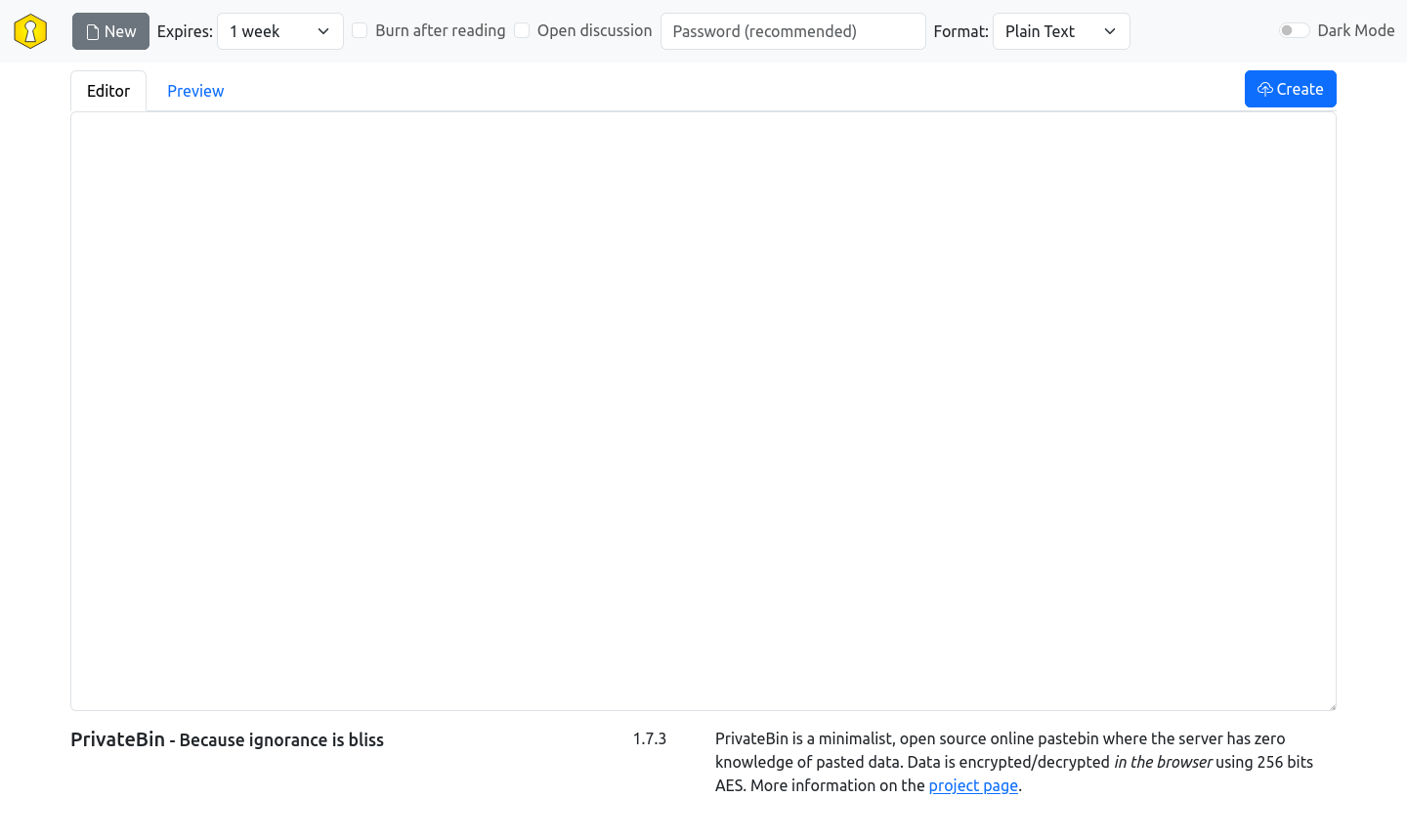
PrivateBin comes with multiple templates and of course you can also create your own to adjust the look of it to your site.
Creating templates
For beginners it is suggested to copy tpl/bootstrap5.php and adapt it to your design. You can put the HTML of your template into a PHP file in the directory tpl, i.e. tpl/myawesometemplate.php.
If you don't reuse existing external resources (CSS, images, etc.) in your PrivateBin template, we suggest to put CSS and fonts into a subfolder at css/myawesometemplate, images into a subfolder at img/myawesometemplate and javascript libraries into the folder js (if these are publicly available libraries, it is suggested to include the version number in the file name, to ensure they are reloaded in your visitors browser when you upgrade them).
PrivateBin uses straightforward PHP scripts, that are included into the PrivateBin\View class. Only variables that are set in that class can be accessed as local variables in the templates PHP script, otherwise you can of course use any PHP code supported by your server. Keep in mind that you need to escape variables properly before writing them to output. As suggested it is best to use one of the existing template files and simply replace the HTML parts in it.
If you designed an awesome template, please consider sharing it with the project to add it to the templates we ship with the next release.
Configuring templates
To enable the use of a template, configure its name (without the .php ending) in the template property in the configuration file at cfg/conf.php.
Templates included in PrivateBin
bootstrap5
This is a bootstrap 5 CSS based PrivateBin template and the default as of 2.0.0: