|
|
||
|---|---|---|
| .github | ||
| ipxe | ||
| script | ||
| src | ||
| .travis.yml | ||
| CONTRIBUTING.md | ||
| LICENSE | ||
| README.md | ||

netboot.xyz


Bootloader Downloads
These iPXE disks will automatically load into boot.netboot.xyz:
| Type | Bootloader | Description |
|---|---|---|
| ISO (Legacy) | netboot.xyz.iso | Used for CD/DVD, Virtual CDs like DRAC/iLO, VMware, Virtual Box (Legacy) |
| ISO (EFI) | netboot.xyz-efi.iso | Same as ISO (Legacy) but used for EFI BIOS, works in Virtual Box EFI mode |
| Floppy | netboot.xyz.dsk | Used for 1.44 MB floppies, Virtual floppies like DRAC/iLO, VMware, Virtual Box |
| USB | netboot.xyz.usb | Used for creation of USB Keys |
| Kernel | netboot.xyz.lkrn | Used for booting from GRUB/EXTLINUX |
| DHCP | netboot.xyz.kpxe | DHCP boot image file, uses built-in iPXE NIC drivers |
| DHCP-undionly | netboot.xyz-undionly.kpxe | DHCP boot image file, use if you have NIC issues |
| EFI | netboot.xyz.efi | EFI boot image file |
SHA256 checksums are generated during each build of iPXE and are located here. You can also view the scripts that are embedded into the images here.
What is netboot.xyz?
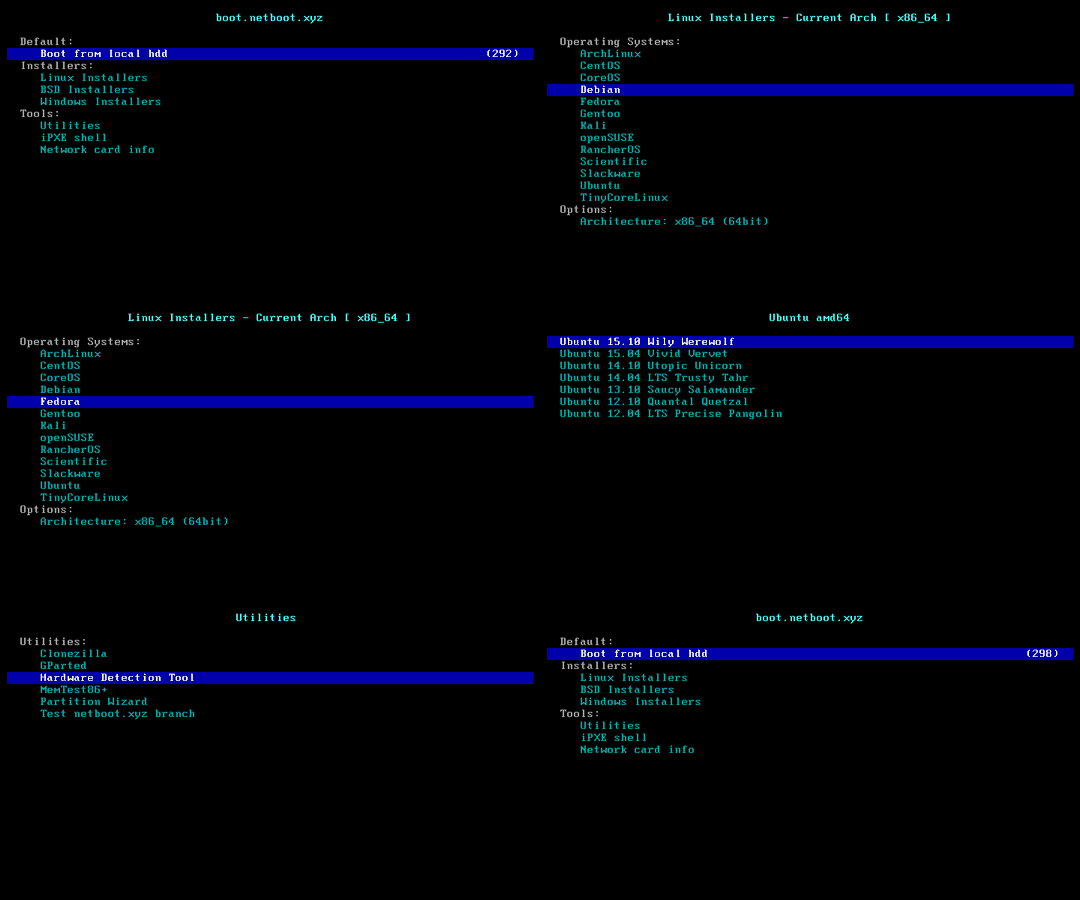
netboot.xyz is a convenient place to boot into any type of operating system or utility disk without the need of having to go spend time retrieving the ISO just to run it. iPXE is used to provide a user friendly menu from within the BIOS that lets you easily choose the operating system you want along with any specific types of versions or bootable flags.
If you already have iPXE up and running on the network, you can hit netboot.xyz at anytime by typing:
chain --autofree https://boot.netboot.xyz
You'll need to make sure to have DOWNLOAD_PROTO_HTTPS enabled in iPXE.
Documentation
See netboot.xyz for all documentation. Some links to get started with are:
If you'd like to contribute to the documentation, the netboot.xyz documenation is located at netboot.xyz-docs.
What Operating Systems are available?
- Alpine Linux
- Arch Linux
- CentOS
- Debian
- Devuan
- Fedora
- Flatcar Linux
- FreeBSD
- FreeDOS
- Gentoo
- IPFire
- Mageia
- Microsoft Windows
- MirOS
- NixOS
- OpenBSD
- OpenSUSE
- RancherOS
- Red Hat Enterprise Linux
- Scientific Linux
- Tiny Core Linux
- Ubuntu
Security Related
Utilities
- AVG Rescue CD
- Breakin
- Clonezilla
- DBAN
- GParted
- Grml
- Memtest
- Super Grub2 Disk
- SystemRescueCD
- Ultimate Boot CD
Testing New Branches
Under the Utilities menu on netboot.xyz, there's an option for "Test netboot.xyz branch". If you've forked the code and have developed a new feature branch, you can use this option to chainload into that branch to test and validate the code. All you need to do is specify your Github user name and the name of your branch or abbreviated hash of the commit. Also, disable the signature verification for netboot.xyz under Signatures Checks.
Feedback
Feel free to open up an issue on Github, swing by Freenode IRC in the #netbootxyz channel, or ping us on Discord. Follow us on Twitter or like us on Facebook!