# Navi cheatsheets
* [Navi cheatsheets](#navi-cheatsheets)
* [Working with `cheatsheet repositories`](#working-with-cheatsheet-repositories)
* [Manually adding cheatsheets to navi](#manually-adding-cheatsheets-to-navi)
* [Choosing between queries and selection with variables](#choosing-between-queries-and-selection-with-variables)
* [Using cheatsheets from other tools](#using-cheatsheets-from-other-tools)
## Working with `cheatsheet repositories`
Navi works best with what we call `cheatsheet repositories`, for more details see [cheatsheet/repositories](repositories/README.md).
## Manually adding cheatsheets to navi
If you don't want to work with `cheatsheet repositories`, you can manually add your
cheatsheets to navi by putting them into the `cheats_path` of your platform.
You can find out your path using the [info](/docs/usage/commands/info/README.md) subcommands
but a quick working command to go there would be:
- Before 2.25.0
```bash
cd $(navi info cheats-path)
```
- After 2.25.0
```bash
cd $(navi info default-cheats-path)
```
## Choosing between queries and selection with variables
Navi lets you use different methods to fill a variable value, when prompted.
| Keyboard key | Preference |
|:------------------:|:--------------------------:|
| tab | The query is preferred |
| enter | The selection is preferred |
It means if you enter the tab key, navi will let you enter the value.
## Using cheatsheets from other tools
> [!WARNING]
> Navi **DOESN'T SUPPORT** as of now importing cheatsheets from other tools
> but is able to **work with** TLDR and Cheat.sh.
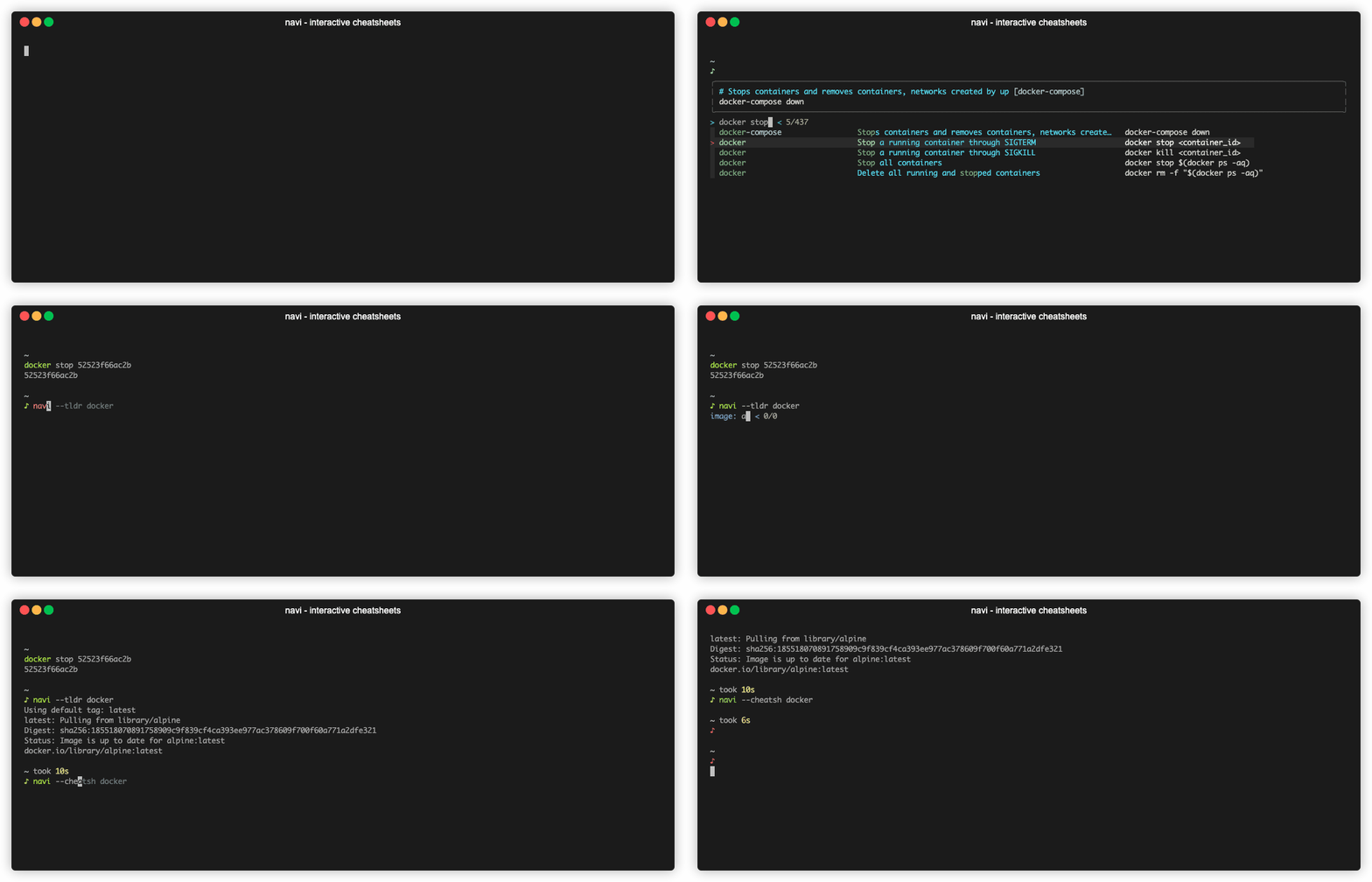
You can use cheatsheets from [tldr](https://github.com/tldr-pages/tldr) by running:
```sh
navi --tldr
```
You can use cheatsheets from [cheat.sh](https://github.com/chubin/cheat.sh) by running:
```sh
navi --cheatsh
```